Virtual Try-On Shopify App: Install from the App Store in Minutes
 byDresium
 byDresium
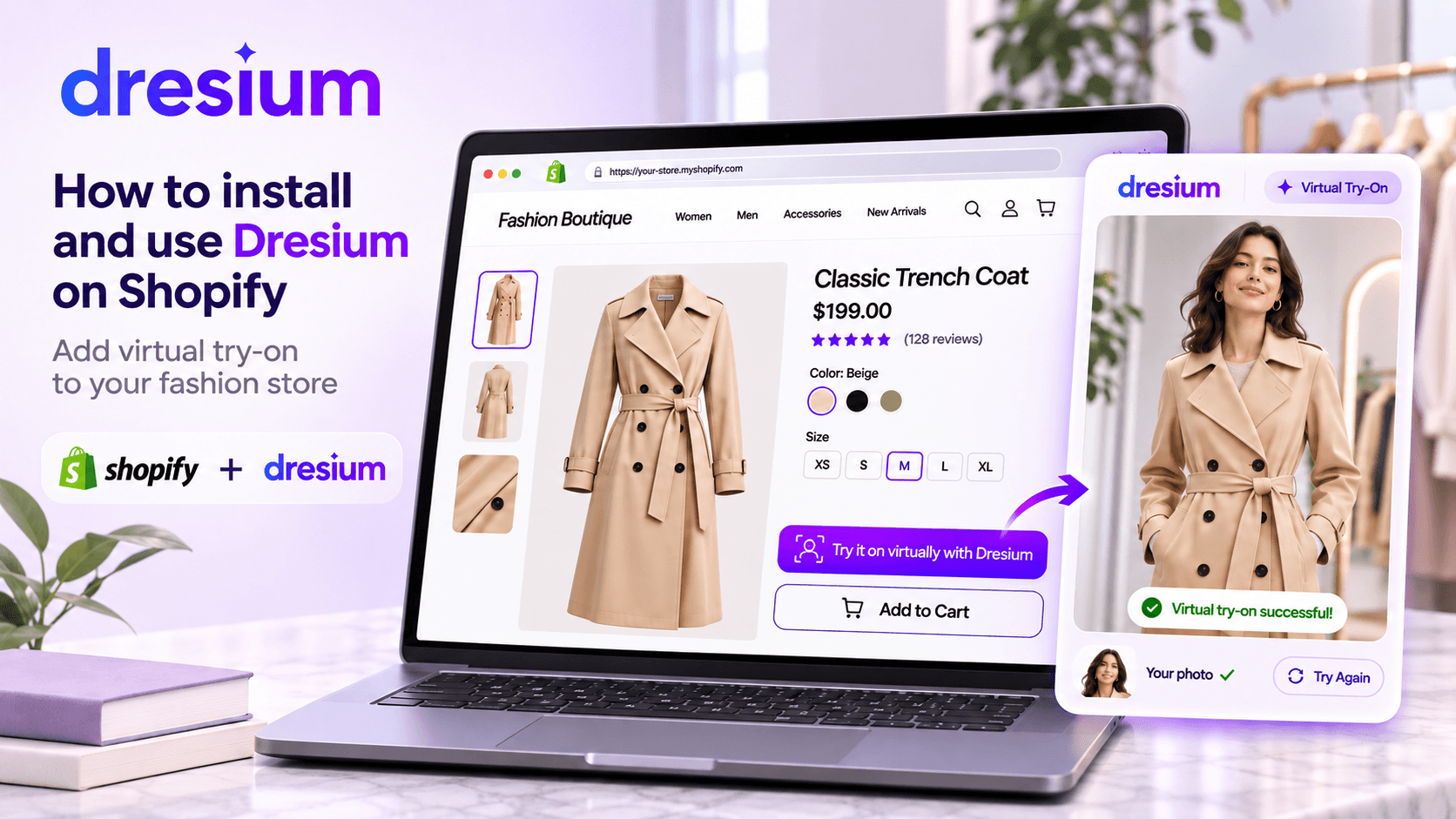
Quick answer: to add a virtual try-on Shopify app to your store, install the Dresium app from the Shopify App Store, open its embedded panel in your Shopify admin, pick the product categories where the try-on button should appear and style it to match your theme. No code is required. Shoppers upload a photo and see themselves wearing the item within seconds, even as guests. The app is free to install, comes with 1,000 free credits (roughly 100 try-ons), and after that you pay only for the try-ons your shoppers generate.
Fit uncertainty is the most expensive question in online fashion. Shoppers can’t tell how a piece will look on them, so they buy two sizes and return one, or they leave without buying at all. If you sell on Shopify, a virtual fitting room is now one of the fastest ways to tackle that problem, because it installs like any other app. This guide covers what the Dresium app does, how to install it from the Shopify App Store step by step, how to customize your virtual fitting room with Style Inspector, and how to check it’s paying off.
If you first want to understand the technology itself, start with our guide to virtual try on: it covers the definition, the main technologies and how to choose a solution. This article assumes the basics and stays on one job: installing and configuring the app on Shopify.
Commercially, the problem it targets is fit uncertainty, which on a fashion store shows up as abandoned carts and multi-size orders. Online clothing stores often see return rates above 40%, and on our Dresium for Brands page we report 30% fewer returns and a 45% higher conversion rate. They’re not a promise for every catalog, which is why the app ships with a dashboard to measure the real impact on your store.
There are now dozens of virtual try-on apps on the Shopify App Store, and the listings read alike. Before installing one, compare these points in the listing and its privacy policy:
Dresium: AI Virtual Try-On is live on the Shopify App Store today (it launched on September 18, 2026). Here’s what it includes:
That language coverage is worth highlighting if you sell across borders. A shopper in Madrid, Munich or Milan gets the try-on experience in a familiar language, which matters for a feature that asks people to upload a personal photo.
Setup is zero-code: the app adapts to your store theme in one click. In practice, that means no Liquid edits and no developer tickets.
Shopify takes care of hosting, SSL and updates, so the prerequisites are short:
Compare that with WordPress, where you need to check PHP, WordPress and WooCommerce versions first (see our WooCommerce virtual try-on plugin guide). On Shopify, you can go from App Store page to live button in a single session.
For transparency, the listing states that the app accesses device and activity data (geolocation, IP address, browser and operating system), store owner details, customers, products and collections, orders from the last 60 days, and your Online Store theme. The developer’s privacy policy, linked from the listing, explains why each permission is needed.
Once installed, Dresium appears under Apps in your Shopify admin. The panel is embedded, so you configure everything inside Shopify rather than juggling another dashboard. Button settings, categories, credits and analytics all live here.
You start with 1,000 free credits. Accepting legal documents during onboarding is not mandatory, so nothing blocks you from moving straight on to setup.
Activation takes one click and adapts to your theme. Generally speaking, Shopify apps connect to themes through app embeds or app blocks, which you switch on and customize in the theme editor (Online Store → Themes → Customize), as described in the Shopify Help Center.
Follow the guided flow inside the Dresium panel, then preview a product page and confirm the try-on button sits where shoppers will see it, ideally close to the add-to-cart button.
Selling in multiple markets? Shopify lets merchants customize app embeds per market in the theme editor. If your theme exposes Dresium as an app embed, check the setting for each market you sell in. And if you ever switch themes, remember that Shopify doesn’t carry theme app integrations over automatically: you’ll need to reactivate them on the new theme.
Not every product benefits from virtual try-on. From the panel, enable it on categories where fit and look drive the purchase decision, such as dresses, outerwear, knitwear, shirts and tees, and leave it off gift cards, homeware or other non-wearables.
A sensible rollout is to start with the categories that generate the most size- or fit-related returns, measure for a few weeks, then expand.
Shoppers trust features that look like part of the store. Dresium’s Style Inspector lets you match:
Changes preview in real time, so you can try two or three combinations before publishing. A practical tip: reuse your brand’s primary color and the same corner radius as your theme’s add-to-cart button, so the try-on looks built in-house. The experience is also watermark-free, so shoppers see your brand, not ours.
[IMAGE BY GIORGIO: Style Inspector / button customization · file name: style-inspector-virtual-fitting-room-shopify.webp · alt: “Dresium Style Inspector customizing a virtual fitting room on Shopify”]
Before you announce anything:
Test generations use credits, but the 1,000 starter credits cover roughly 100 try-ons, enough to test several products and categories.
Pricing is pay-as-you-go: no subscription and no setup fees. Generations start from €0.10, with a €10 minimum deposit. You pay only when a shopper actually generates a try-on, so spend scales with real usage. Always check the current price in the app panel before topping up.
The usual objection to pay-as-you-go pricing is that the bill is hard to predict. You can estimate it from three numbers: monthly visits to the product pages where try-on is enabled, the share of visitors who use it, and the price per generation.
Here’s an example with an assumed 3% usage rate. A store with 20,000 monthly visits to enabled categories gets about 600 try-ons, roughly €60 a month at €0.10 each. At 5,000 visits that drops to 150 try-ons, about €15. After a few weeks, swap the 3% for the real adoption rate shown in your dashboard.
To keep spend predictable, the app settings let you set daily and monthly caps on try-ons per guest (by IP address) and per registered customer, so a single visitor can’t drain your balance. For a broader comparison of pricing models, see our virtual try-on pricing guide [LINK TO ACTIVATE: pricing article].
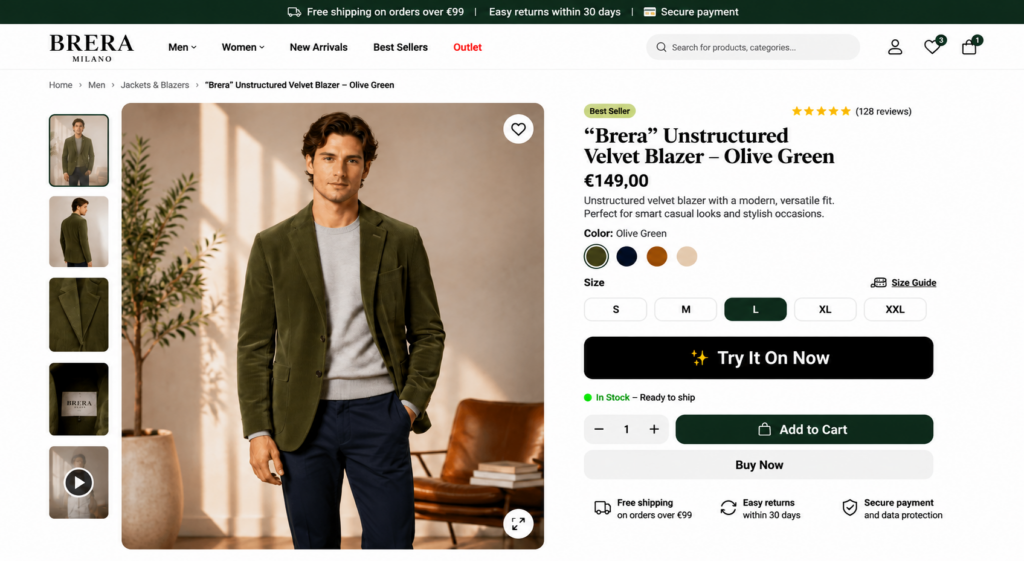
From the customer’s side, the flow has three moments:
From there they can switch scenes, animate the look into a short video or save it to their gallery to compare with other outfits, all without leaving your store.
Will it slow my store down? No. Dresium runs asynchronously on its own dedicated servers, so image generation doesn’t weigh on your product page load. What happens to shopper photos? Guest photos and generations are deleted automatically within 30 days, and registered users can delete theirs at any time. The questions IT and legal usually ask (GDPR, DPA, where data is processed, Core Web Vitals) are covered in our privacy and site speed FAQ [LINK TO ACTIVATE: W45 article “Virtual Try-On Privacy, GDPR & Site Speed”], and they apply to Shopify too.
Still choosing a platform? See our Shopify vs WooCommerce comparison [LINK TO ACTIVATE: “Shopify vs WooCommerce” article]. Running WordPress? Follow our WooCommerce virtual try-on plugin guide. On Magento, PrestaShop or a proprietary CMS, and weighing a ready-made tool against a custom build? See our guide to choosing between a plugin and a custom integration [LINK TO ACTIVATE: W44bis article].
A virtual try-on Shopify integration is only worth keeping if it moves the numbers. Dresium’s B2B dashboard, included at no extra cost, shows:
A practical tip: log your go-live date and compare conversion and return rates for the enabled categories before and after. It’s the most honest way to see how our reported benefits translate to your own catalog, and it gives you a clean story for leadership.
Still stuck? Support is free, and you can reach us on WhatsApp for quick questions.
Virtual try-on is no longer reserved for enterprise brands with custom tech budgets. On Shopify it installs like any other app, costs nothing until shoppers use it, and comes with the data to prove its value. Install Dresium from the Shopify App Store and use your 1,000 free credits to test it on your catalog, or explore every feature on the Dresium for Brands page.